Building a Twilio Call Router in 3 Hours
A marketing agency came to me with a quote: $3,000 to build a call routing system that would send SMS notifications to contractors and forward incoming calls. The agency wanted it done "properly" with a custom backend, database, admin panel, the works.
I built it in 3 hours using Twilio Functions for about $1/month plus per-call costs. Here's how.
The Requirements
The client needed:
- Multiple phone numbers for different service areas
- SMS notification to the contractor when a call comes in
- Call gets forwarded to the contractor's phone
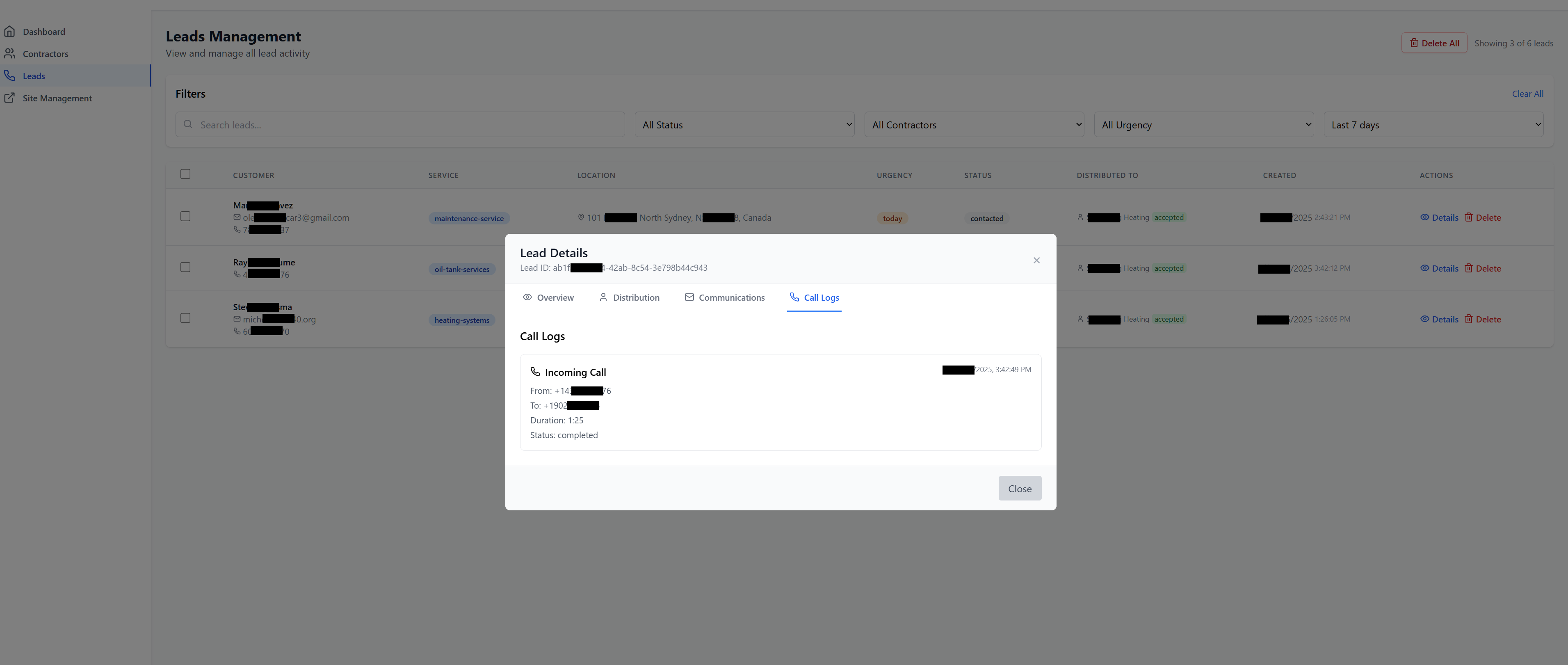
- All calls automatically logged by Twilio
- Easy to add new contractors without rebuilding everything
The other developer quoted $3,000 because they were going to build a full backend with Node.js, PostgreSQL database, webhook handlers, admin interface, etc. Way overengineered.
The Better Solution: Twilio Functions
Twilio Functions are serverless JavaScript functions that run on Twilio's infrastructure. You write the code, deploy it, and Twilio handles the hosting, scaling, and reliability.
Perfect for simple call routing that doesn't need complex business logic or a database.
The Code
Here's the entire function. It's about 30 lines:
exports.handler = async function(context, event, callback) {
  const twiml = new Twilio.twiml.VoiceResponse();
  const client = context.getTwilioClient();

  const callerNumber = event.From;
  const twilioNumber = event.To;

  // Send SMS notification
  try {
    const message = await client.messages.create({
      to: '+1234567890',  // Contractor's phone
      from: twilioNumber,
      body: `📞 New call from: ${callerNumber}`
    });

    console.log('SMS sent. SID:', message.sid);

  } catch (error) {
    console.error('SMS failed:', error.message);
    // Continue anyway - still forward the call
  }

  // Forward the call
  twiml.pause({ length: 2 });
  const dial = twiml.dial({
    callerId: callerNumber
  });
  dial.number('+1234567890');  // Contractor's phone

  callback(null, twiml);
};
That's it. The entire call routing system.
How It Works
1. Twilio Receives the Call
When someone calls a Twilio number, Twilio triggers this function automatically.
2. Send SMS Notification
The function sends an SMS to the contractor with the caller's number. If the SMS fails (network issue, whatever), the call still goes through.
3. Forward the Call
TwiML (Twilio Markup Language) tells Twilio what to do with the call. We pause 2 seconds to let the SMS send, then dial the contractor's number.
The callerId parameter makes the contractor see the original caller's number,
not the Twilio number.
Adding More Contractors
Each contractor gets their own Twilio Function. Takes 2 minutes to copy, paste, change the phone number, and deploy.
The client has me on retainer. When they need a new contractor added, they email me the phone number. I add it in 5 minutes.
Could you build a database-driven system where they manage contractors themselves? Sure. Would cost $5,000 and take 2 weeks. For 5 contractors? Not worth it.
Deployment
Deploy from the Twilio Console:
- Go to Functions & Assets
- Create new Function
- Paste the code
- Deploy
- Copy the Function URL
- Set it as the webhook for your Twilio number
Done in 5 minutes. No servers to manage, no deployment pipelines, no monitoring setup.
The Costs
Twilio charges:
- $1.15/month per phone number
- $0.0085 per minute for calls
- $0.0079 per SMS
- Functions are basically free (first 10,000 invocations)
For their volume (maybe 50 calls/month), it's about $5-10/month total.
Error Handling
The SMS is wrapped in try-catch. If it fails, the call still goes through. This is important.
I've seen systems where the SMS failing kills the entire call. Then the customer gets nothing and the contractor never knows about the call. Bad.
Twilio automatically logs everything in their console. Call duration, SMS status, errors. Built-in monitoring.
What I Learned
Serverless is perfect for simple integrations.
No servers to maintain. No deployment complexity. Twilio handles scaling, uptime, and monitoring. You just write the logic.
Simple per-contractor functions beat complex routing logic.
The original quote included a database with routing tables, admin UI for managing contractors, user permissions, etc. Complete overkill for 5 contractors.
Five separate Functions means no shared state, no complex logic, and debugging is trivial. One breaks? The others keep working.
Retainers work better than "self-service" for small volumes.
Building an admin interface where they add contractors themselves would cost more than 10 years of me doing it manually. At 2-3 contractors per year, manual wins.
When NOT to Use This Approach
This simple approach breaks down when:
- You have 50+ contractors (managing separate Functions gets tedious)
- Routing logic is complex (business hours, skillsets, availability)
- You need advanced features (call recording, analytics, IVR menus)
- Client needs self-service management
For those cases, build a proper backend. But most call routing is simpler than people think.
The Client's Reaction
"Wait, that's it? The other developer made it sound like this would take weeks."
Yeah. Because they were planning to build features you don't need. A database you'll never look at. An admin panel for managing 5 phone numbers.
This solution is "suboptimal" in the sense that it won't scale to 1,000 contractors. But it's optimal for 5 contractors because it took 3 hours and costs almost nothing.
Try It Yourself
Twilio has a free trial with $15 credit. Enough to test this thoroughly. The Functions editor has built-in debugging and logs.
Copy the code above, replace the phone numbers, deploy, and you have a working call routing system in 10 minutes.
Don't overthink it.